
NB2 Hub vs Shrinkpad
Side-by-side comparison to help you choose the right product.

NB2 Hub
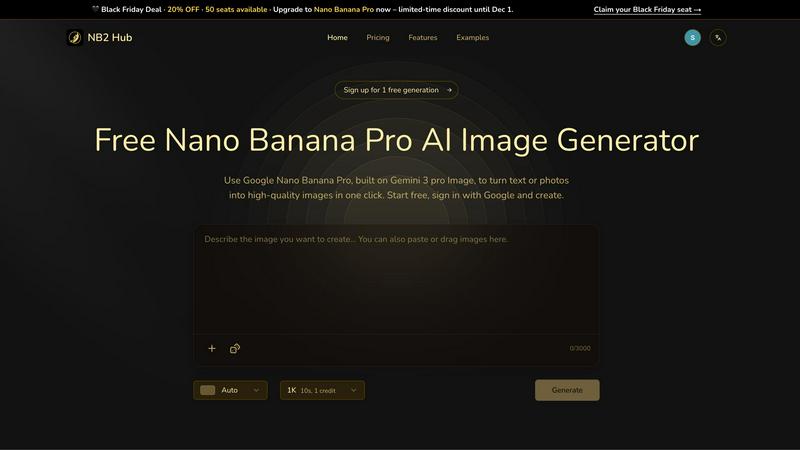
Transform text and photos into stunning 4K images with precise details and layout control using Nano Banana Pro.
Last updated: March 1, 2026

Shrinkpad
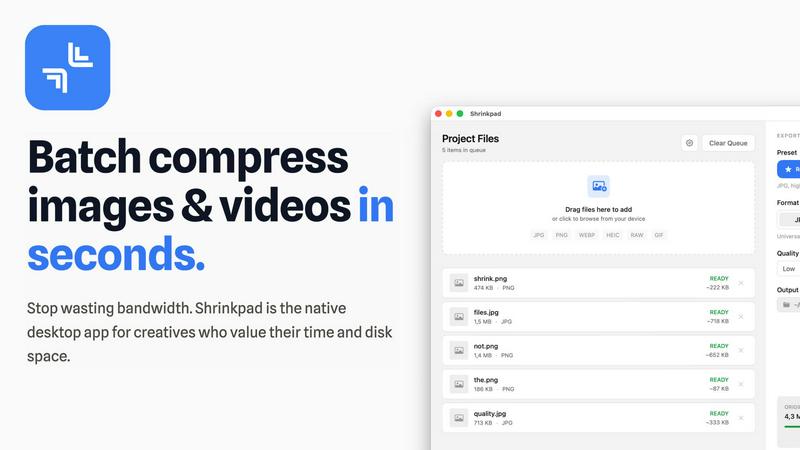
Shrinkpad continuously optimizes your images and videos in bulk, saving you time and space with every use.
Last updated: February 28, 2026
Visual Comparison
NB2 Hub
Shrinkpad
Feature Comparison
NB2 Hub
Faithful text + image remix
Upload a reference image along with a short prompt, and Nano Banana Pro will preserve the layout and lighting while enhancing details and texture. This feature is ideal for UI iterations, product shots, and comic panels, allowing users to seamlessly upgrade their visuals while maintaining original characteristics.
Crisp text inside images
NB2 Hub enables you to generate clean, legible on-image text, from headlines to paragraphs, with multilingual typography that is free from blur or halo effects. This feature is perfect for creating posters, advertisements, and social media covers, ensuring that your text is as visually striking as your images.
Grounded to real-world facts
With the ability to leverage world knowledge and retrieval grounding, NB2 Hub visualizes accurate data, places, and styles in your images. This feature guarantees that your visuals are not only beautiful but also truthful, providing a reliable representation of the subject matter.
Multi-reference fusion & identity consistency
This feature allows users to fuse multiple references while maintaining consistency across characters, products, and brand elements in different shots. It is especially useful for storyboards and multi-angle product sets, ensuring that your visuals remain cohesive and aligned with your brand identity.
Shrinkpad
Intelligent Batch Processing
Shrinkpad revolutionizes asset management by allowing you to process thousands of images and videos in a single, seamless batch. Simply drag and drop an entire folder; the app automatically detects over 30 media formats, including RAW photos and 4K videos, and adds them to the queue. This eliminates the need to manually select individual files, saving hours of repetitive work and enabling a continuous, improved workflow where bulk optimization becomes a simple, one-click task.
Smart Quality Detection & Compression
Stop guessing compression settings. Shrinkpad employs an advanced algorithm that automatically analyzes the visual complexity of each image and video frame. It then applies the optimal compression ratio to drastically reduce file size—often by up to 90%—without introducing noticeable artifacts or compromising the visual fidelity you require for professional work. This smart, iterative analysis ensures the best possible result every time.
Complete Local Processing & Privacy
In an era of cloud dependencies, Shrinkpad champions a privacy-first philosophy. All compression happens locally on your Mac, leveraging the full power of Apple Silicon for lightning-fast performance. Your original files, project assets, and sensitive client work are never uploaded to a remote server. This commitment to local processing provides peace of mind and represents a fundamental improvement in how creative tools handle your data.
Advanced Workflow Utilities
Beyond core compression, Shrinkpad includes powerful features designed for professional, iterative workflows. It offers automatic renaming conventions, processes files within subfolders to maintain your project structure, and can strip metadata for cleaner, web-ready assets. The ability to handle mixed media batches—photos and videos together—further refines and accelerates your optimization pipeline from start to finish.
Use Cases
NB2 Hub
Marketing Campaigns
Create visually compelling marketing campaigns by generating high-quality images that reflect your brand's identity. NB2 Hub enables marketers to produce stunning visuals that capture attention and convey messages effectively, enhancing overall campaign impact.
Product Mockups
Utilize NB2 Hub to create realistic product mockups that showcase your items in various settings. This feature allows designers to apply logos and patterns onto 3D objects, facilitating quick and efficient creation of branded scenes that resonate with potential customers.
Educational Infographics
Generate informative and visually engaging infographics using NB2 Hub to convey complex data simply and effectively. The platform's grounding in real-world facts ensures that the visuals are not only aesthetically pleasing but also accurate, making them ideal for educational purposes.
Social Media Content Creation
Streamline your social media content creation process with NB2 Hub, allowing you to quickly generate eye-catching images tailored for different platforms. The ability to control aspect ratios and compositions ensures that your visuals are optimized for maximum engagement.
Shrinkpad
Optimizing Web and App Assets
Developers and web designers can use Shrinkpad to batch-compress entire directories of interface elements, product images, and promotional videos. This drastically reduces bundle sizes and improves website load times, with users reporting faster Largest Contentful Paint (LCP) scores. It's an essential, iterative step in the development cycle to enhance user experience and performance metrics continuously.
Managing Photographer and Videographer Libraries
Photographers and videographers dealing with massive libraries of high-resolution RAW files and 4K footage can use Shrinkpad to create optimized, shareable versions without sacrificing quality. Quickly prepare client galleries, social media previews, or archive projects to free up terabytes of storage, allowing for a more efficient and ongoing management of your creative portfolio.
Streamlining Design-to-Export Workflows
Designers can export full sets of assets from tools like Figma or Photoshop at 2x or 4x resolution and then use Shrinkpad's folder mode to batch-optimize and auto-rename everything in one go. This removes a significant bottleneck, turning a manual, error-prone process into an automated, iterative step that saves countless hours and ensures consistently delivered assets.
Preparing Content for Distribution
Content creators, marketers, and social media managers can process weeks' worth of content in minutes. Shrinkpad makes it easy to compress videos for email campaigns, reduce image sizes for faster website uploads, and prepare media for various platforms without worrying about format compatibility or uploading sensitive content to third-party websites.
Overview
About NB2 Hub
NB2 Hub is your free, online gateway to the powerful Google Nano Banana 2 AI image generator, built on the cutting-edge Gemini 3 Pro Image model. This innovative platform is designed to enhance your creative workflow by transforming your ideas into high-quality, production-ready visuals with remarkable ease and precision. Whether you start from a text prompt or an existing image, NB2 Hub supports both text-to-image and image-to-image generation, ensuring character and brand consistency. Tailored for creators, marketers, designers, and businesses, it delivers professional-grade capabilities without the usual complexity of advanced tools. The platform excels in providing accurate, controllable, and fast results—featuring exceptional layout fidelity, crisp readable text within images, and stunning 4K output. By continuously refining its understanding of user intent and real-world context, NB2 Hub embodies a cyclical and iterative approach to AI image generation, ensuring that every creation is a step toward achieving a more perfect visual outcome. Begin your journey with free generations and discover how NB2 Hub can evolve your workflow from concept to final asset.
About Shrinkpad
Shrinkpad is the definitive native macOS application for batch compression, engineered for the modern creative who demands both speed and quality. It is a powerful, privacy-first tool that allows photographers, designers, developers, and content creators to compress hundreds of images and videos simultaneously, directly on their Mac. The core value proposition is a continuous cycle of improvement: reclaiming precious disk space, accelerating website and application performance, and streamlining digital workflows without the tedious, manual effort typically involved. By processing files locally, Shrinkpad ensures your sensitive assets never leave your device, eliminating the security risks and bandwidth waste associated with cloud-based tools. It intelligently analyzes visual complexity to apply the perfect compression, achieving reductions of up to 90% while preserving perceptual quality. This iterative approach to asset optimization means you can work faster, store more, and deliver better-performing projects, establishing a new, more efficient standard for your creative process.
Frequently Asked Questions
NB2 Hub FAQ
What is NB2 Hub?
NB2 Hub is a free online platform that provides access to the Google Nano Banana 2 AI image generator, allowing users to create high-quality visuals from text prompts or existing images effortlessly.
How does the text-to-image generation work?
The text-to-image generation feature allows users to input a textual description, which the AI uses to generate a corresponding image. This process ensures that the final output aligns closely with the user's creative vision.
Can I use NB2 Hub for commercial purposes?
Yes, NB2 Hub is designed for creators, marketers, and businesses, which means you can utilize the generated images for commercial projects, marketing campaigns, and product presentations.
Is there any cost associated with using NB2 Hub?
NB2 Hub is a free platform that allows users to start generating images without any costs. There are options to upgrade for additional features, but the basic functionality is available at no charge.
Shrinkpad FAQ
Can I use Shrinkpad for free?
Yes, Shrinkpad offers a Free Starter plan that includes standard compression for common formats like JPG and PNG, with a limit of 10 files per batch and a maximum 1GB file size. This allows you to test the core functionality and experience the iterative improvement in your workflow before upgrading to unlock unlimited processing and advanced features.
What file formats does Shrinkpad support?
Shrinkpad supports a wide range of over 30 image and video formats. This includes common types like JPG, PNG, MP4, and MOV, as well as professional formats such as WEBP, AVIF, HEIC, and RAW camera files. Its smart detection automatically identifies and optimally compresses each file type within a mixed batch.
Does Shrinkpad support video compression?
Absolutely. Shrinkpad is a powerful batch tool for both images and videos. It supports major video formats like MP4 and MOV, applying efficient compression to reduce file sizes significantly—often by 65% or more—while maintaining visual quality, making it perfect for optimizing demo reels, promotional content, and video libraries.
How many files can I process at once?
With the Personal or Team license, you can process an unlimited number of files in a single batch. Unlike web-based tools that often crash with large queues, Shrinkpad is built as a native desktop app to handle thousands of assets with ease, enabling true iterative, large-scale optimization projects without limits.
Alternatives
NB2 Hub Alternatives
NB2 Hub is a free, online platform that serves as a gateway to the Google Nano Banana 2 AI image generator, designed to transform text and images into high-quality 4K visuals. It caters to creators, marketers, designers, and businesses, providing tools for both text-to-image and image-to-image generation while emphasizing accuracy and layout fidelity. Users often seek alternatives to NB2 Hub for various reasons, including pricing, specific feature requirements, or compatibility with existing workflows. When choosing an alternative, it's essential to consider factors such as the quality of output, ease of use, available features, and the support offered by the platform. A thorough evaluation helps ensure that the selected tool meets your creative needs and enhances your project outcomes.
Shrinkpad Alternatives
Shrinkpad is a dedicated batch compression tool for macOS, operating within the image and video optimization category. It streamlines workflows by allowing users to process hundreds of files locally, ensuring privacy and significant storage savings without quality loss. Users often explore alternatives for various reasons, such as budget constraints, needing support for different operating systems, or seeking a different balance between advanced features and simplicity. The search for the right tool is a natural part of refining one's digital toolkit. When evaluating alternatives, consider core needs like platform compatibility, the range of supported formats, and the importance of local versus cloud processing. The goal is to find a solution that integrates seamlessly into your existing workflow, enabling continuous improvement in how you manage media assets.