
Imgezy vs Seedream 4.5
Side-by-side comparison to help you choose the right product.

Imgezy
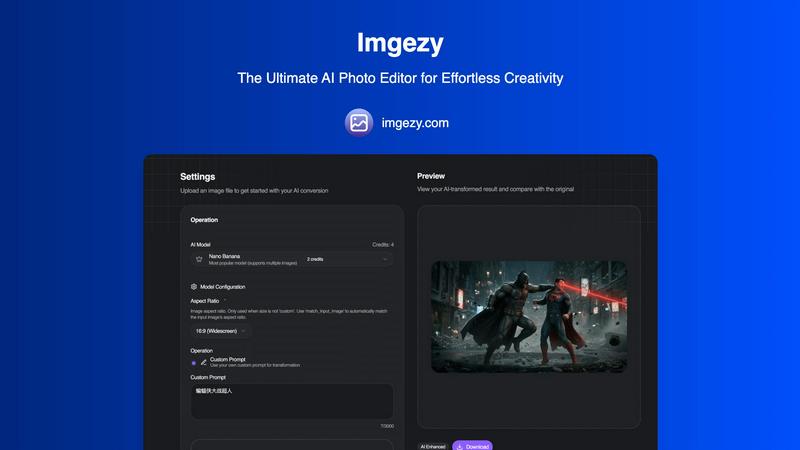
Imgezy transforms your photos effortlessly with AI, allowing you to edit, remove objects, and change backgrounds like a.
Last updated: March 1, 2026

Seedream 4.5
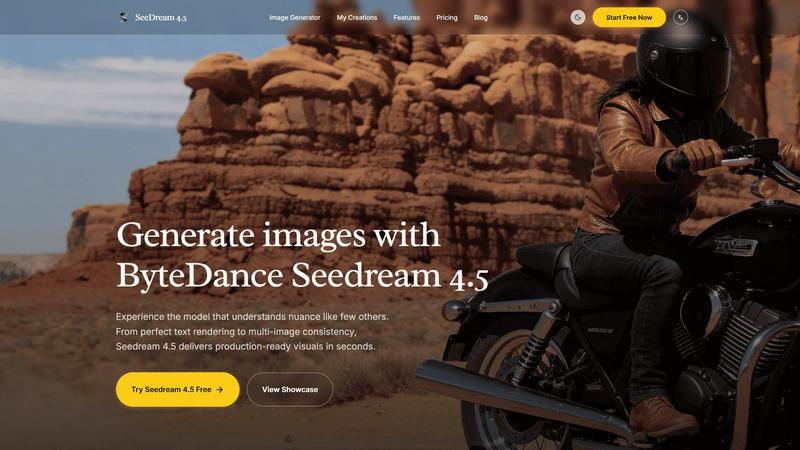
Seedream 4.5 effortlessly generates stunning, production-ready images with unmatched detail and consistency in seconds.
Last updated: February 28, 2026
Visual Comparison
Imgezy
Seedream 4.5
Feature Comparison
Imgezy
Object Removal
Imgezy's object removal feature allows users to eliminate unwanted elements from their photos with remarkable precision. The AI intelligently identifies and reconstructs backgrounds, ensuring that no trace of the removed object remains, thereby preserving the integrity of the image.
Background Replacement
With Imgezy, changing backgrounds has never been easier. Users can swiftly replace dull or distracting backgrounds with vibrant scenes, such as stunning landscapes or solid colors, instantly enhancing the overall appeal of their photographs.
Photo Enhancement
The photo enhancement feature of Imgezy automatically optimizes images by adjusting colors, lighting, and sharpness. This ensures that every photo looks its best, making the edits professional-quality without requiring any manual adjustments.
Batch Processing
Imgezy supports batch processing, allowing users to edit multiple images simultaneously. This feature is a time-saver for those working on large projects, enabling efficient editing without sacrificing quality or detail.
Seedream 4.5
Advanced Text-to-Image Generation
Seedream 4.5 offers an advanced text-to-image generation feature that enables users to input detailed prompts and produce high-quality images that accurately reflect their creative vision. This functionality is designed to capture nuances in text, ensuring that the resulting visuals resonate with the intended message.
Consistent Character Rendering
One of the standout features of Seedream 4.5 is its ability to maintain character consistency across multiple images. This is crucial for professional projects that require a unified look, making it an ideal choice for branding and storytelling across various media.
Precision Image Editing
The tool provides a unique "surgical" editing capability, allowing users to make specific adjustments using over 14 reference images. This precision editing ensures that details can be refined without losing the overall style and harmony of the original image, enhancing the creative process.
Native 4K Support
Seedream 4.5 supports native 4K output, ensuring that all generated images are of the highest quality and suitable for both digital and print media. This feature is particularly beneficial for professionals who require production-ready visuals that meet industry standards for resolution and detail.
Use Cases
Imgezy
E-commerce Product Shots
Imgezy is ideal for e-commerce businesses needing high-quality product images. Users can quickly remove distractions, adjust backgrounds, and enhance visual appeal, making their listings more attractive to potential customers.
Travel Photography
Travel enthusiasts can use Imgezy to enhance their vacation photos. By removing unwanted tourists from the background and replacing it with breathtaking landscapes, users can create stunning memories that are perfect for sharing.
Social Media Content Creation
Marketers and influencers can leverage Imgezy to generate captivating content for their social media platforms. The ability to edit photos quickly and effectively allows for more engaging posts that capture audience attention.
Personal Projects and Memories
Imgezy is perfect for personal use, enabling individuals to edit family photos or memories with ease. Users can enhance their images, making them look professional, and preserve cherished moments in the best possible light.
Seedream 4.5
Graphic Design
Graphic designers can leverage Seedream 4.5 to create unique and engaging visuals for various projects, including branding materials, social media graphics, and promotional content. Its ability to generate high-quality images quickly allows designers to focus on creativity rather than technical constraints.
Marketing Campaigns
Marketing professionals can utilize Seedream 4.5 to develop compelling visuals for advertising campaigns. The tool's advanced text-to-image capabilities help convey messages effectively, while character consistency ensures that brand identity remains strong across different platforms.
Content Creation
Content creators, such as bloggers and social media influencers, can benefit from Seedream 4.5 by generating eye-catching images that enhance their storytelling. The software allows for rapid production of unique visuals that resonate with audiences, keeping content fresh and engaging.
E-Commerce
In the e-commerce sector, Seedream 4.5 can be used to produce high-quality product images and lifestyle shots that attract customers. The tool's precision editing capabilities enable businesses to showcase their products in the best light, improving conversion rates and customer engagement.
Overview
About Imgezy
Imgezy is a groundbreaking AI photo editing platform that redefines the way we approach digital creativity. It empowers users to transform their images using simple text instructions, making high-level photo editing accessible to everyone, from novices to seasoned professionals. With Imgezy, the need for complicated tools, layers, and extensive design experience is completely eliminated. Users can effortlessly edit images by describing what they want to change, such as "remove the person on the left" or "change the background to a sunny beach." This ease of use enables a vast community of over 200,000 creators to harness the power of AI for their projects. Imgezy is built on a foundation of continuous improvement, constantly refining its algorithms to ensure users receive pixel-perfect results every time they edit. Whether enhancing travel photos, perfecting product images for e-commerce, or creating captivating content for social media, Imgezy is your intelligent partner in creativity, turning your visions into reality within seconds.
About Seedream 4.5
Seedream 4.5 is a revolutionary image generation tool that empowers users to create visually striking, production-ready images in just seconds. Designed specifically for professionals in graphic design, marketing, and content creation, this innovative software combines an intuitive user interface with cutting-edge technology. Seedream 4.5 excels in both text-to-image generation and advanced image editing, allowing users to transform their creative ideas into stunning visuals. With its remarkable algorithms, the tool ensures impeccable text rendering, enabling seamless integration of typographic elements within images. A standout feature is its ability to maintain character consistency across multiple images, which is essential for projects that demand a cohesive visual narrative. Furthermore, Seedream 4.5 allows for "surgical" editing with the support of over 14 reference images, giving users the ability to make precise adjustments without compromising the overall aesthetic. With native 4K support and a strong focus on instruction-following capabilities, Seedream 4.5 is perfectly equipped for commercial applications, helping users deliver high-quality visuals that meet and exceed professional standards.
Frequently Asked Questions
Imgezy FAQ
How does Imgezy work?
Imgezy utilizes advanced AI algorithms that interpret user descriptions to make specific edits to images. Users simply upload their photos and describe the changes they want, and the AI does the rest.
What types of images can I edit with Imgezy?
Imgezy supports all major image formats, including JPG, PNG, and WebP, making it versatile for various types of projects, whether personal or professional.
Is there a limit to how many edits I can make?
The number of edits you can perform depends on the plan you choose. Each plan offers a set number of credits, which determine how many images you can edit in a month.
Can I use Imgezy for commercial purposes?
Yes, Imgezy offers plans that include a commercial license, allowing users to utilize edited images for business and marketing purposes without any legal concerns.
Seedream 4.5 FAQ
What types of images can I create with Seedream 4.5?
Seedream 4.5 allows users to create a wide variety of images, from realistic product photos and branding graphics to stylized artistic visuals. Its advanced capabilities cater to numerous industries, including marketing, design, and e-commerce.
Can I edit images after generating them?
Yes, Seedream 4.5 offers advanced image editing features that let you make precise adjustments even after generating an image. You can refine details and enhance the overall style without compromising the original design.
Is Seedream 4.5 suitable for beginners?
Absolutely! Seedream 4.5 is designed with a user-friendly interface that makes it accessible for users of all skill levels. Whether you are a seasoned professional or a beginner, you can easily navigate the tool and create stunning visuals.
What are the system requirements for Seedream 4.5?
While specific system requirements may vary, Seedream 4.5 is optimized to run on modern computers with standard specifications for graphic software. It is recommended to have a capable GPU and sufficient RAM for the best performance, especially when working with 4K images.
Alternatives
Imgezy Alternatives
Imgezy is a revolutionary AI photo editor that simplifies the editing process by transforming text descriptions into expertly edited photos. Positioned in the image and photo editing category, it caters to a wide range of users, from novices to experienced professionals. Many users often seek alternatives to Imgezy for various reasons, including pricing, specific features, or compatibility with their preferred platforms. When choosing an alternative, it's essential to look for user-friendliness, the range of editing capabilities, and the level of support provided, ensuring that the tool aligns well with individual creative needs and workflows.
Seedream 4.5 Alternatives
Seedream 4.5 is a cutting-edge image generation tool that falls within the realm of graphic design and content creation software. Designed to produce stunning, production-ready visuals in seconds, it is particularly favored by professionals who require high-quality, detailed images for their projects. However, users often seek alternatives due to factors such as pricing, specific feature sets, or compatibility with their existing platforms. The quest for an alternative may arise from a need for additional functionalities, more affordable options, or tools that better align with individual workflows. When selecting an alternative to Seedream 4.5, consider the essential features that will support your creative process, such as image quality, editing capabilities, and user interface. Assessing platform compatibility is crucial, as your existing systems should seamlessly integrate with the new tool. Additionally, pay attention to customer support and community resources, as these can significantly enhance your experience and productivity in image generation and editing.