
DR Checker vs NextGen Tools
Side-by-side comparison to help you choose the right product.
DR Checker continuously verifies your deployments to build and maintain trust.

Discover and launch the best AI tools and SaaS products to elevate your productivity and innovation today.
Last updated: February 26, 2026
Visual Comparison
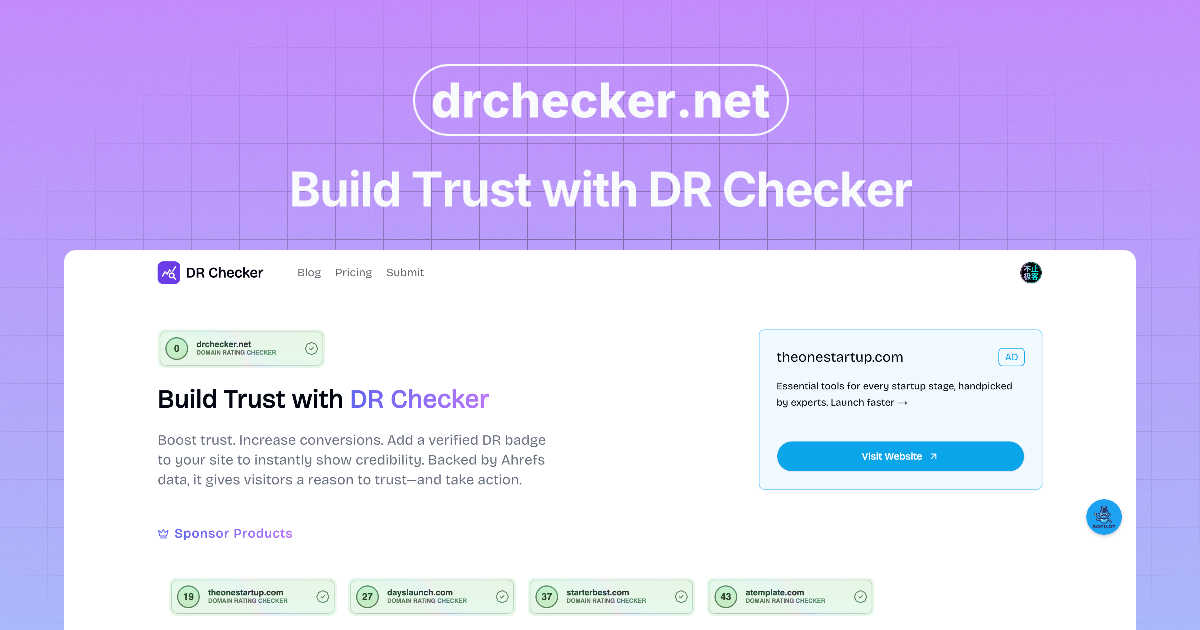
DR Checker
NextGen Tools
Feature Comparison
DR Checker
Advanced Website Crawling
DR Checker employs sophisticated crawling technology that meticulously navigates your website's entire structure, mirroring how search engines and users explore your pages. This deep-scan capability ensures no link is left unchecked, from surface-level navigation menus to buried footer links and dynamic content. The crawler is designed to be thorough yet respectful of server resources, providing a complete inventory of all internal and external connections as the essential first step in the continuous improvement cycle.
Comprehensive Broken Link Detection
At the heart of DR Checker is its powerful engine for identifying broken links. It systematically tests each link on your site, flagging those that return client and server errors like the common 404 "Not Found," 403 "Forbidden," or 500 "Internal Server Error." By providing a detailed list of these dead ends—including the source page and the broken URL—it turns a potentially frustrating hunt into a simple, actionable task list, allowing for iterative cleanup that enhances site reliability.
Security & Malicious Link Screening
Beyond simple breakage, DR Checker adds a crucial layer of security vigilance by screening external links for potential threats. It identifies connections to expired domains, known malicious sites, or questionable web resources that could harm your visitors or your site's reputation. This proactive screening is a key component in the iterative security process, helping you maintain a trustworthy ecosystem and protect users from phishing scams or malware, thereby reinforcing your site's integrity with every scan.
Intuitive Reporting Dashboard
Insights are delivered through a clear, user-friendly dashboard designed for both technical and non-technical users. The dashboard presents scan results in organized, digestible reports that highlight issues by category and severity. This interface simplifies the path from identification to resolution, enabling you to prioritize fixes, track your improvement over time, and document the ongoing cycle of website optimization. The clarity of reporting turns raw data into a strategic maintenance plan.
NextGen Tools
Discover Tools
NextGen Tools features a dynamic directory where users can browse a wide variety of tools, from productivity apps to SaaS solutions. This extensive catalog helps users easily find the tools that align with their needs, powered by advanced search functionalities.
Launching This Week
Stay updated with the latest innovations by checking out the "Launching This Week" section. Here, users can see which tools are making their debut, ensuring they are always aware of the most relevant and cutting-edge solutions available.
Leaderboards
The Leaderboards feature highlights the best tools that have recently launched, along with user engagement metrics. This allows users to see which products are trending and to make informed decisions based on community feedback and popularity.
Premium Tools
Explore a curated list of premium tools that have been highlighted by sponsors. This feature ensures that users have access to high-quality products, often accompanied by exclusive deals and offers that can enhance their operational capabilities.
Use Cases
DR Checker
Routine Website Maintenance Audits
Website administrators and owners can integrate DR Checker into their monthly or quarterly maintenance routines. Regularly scheduled scans create a consistent feedback loop, catching new broken links that appear from content updates, third-party service changes, or expired external resources. This proactive, iterative practice prevents the gradual accumulation of errors, ensuring the site remains professionally maintained and functionally sound for visitors at all times.
Pre and Post-Migration Site Verification
Before and after migrating a website to a new host, CMS, or domain, developers face a high risk of broken links. Using DR Checker to perform a comprehensive scan before launch identifies issues in the new environment. A follow-up scan post-migration verifies the success of the transfer and catches any missed connections. This two-step, cyclical process is critical for ensuring a seamless transition with no degradation in user experience or SEO value.
SEO Performance Optimization
Digital marketers and SEO specialists use DR Checker to eliminate "crawl budget" waste and negative ranking factors. Search engines penalize sites with excessive broken links, viewing them as poorly maintained. By continuously identifying and fixing these issues, marketers improve how efficiently search engines crawl and index the site, directly supporting better rankings. This ongoing optimization cycle is a fundamental technical SEO task that preserves and enhances organic visibility.
Enhancing User Experience and Trust
For content-heavy sites like blogs, news portals, or educational resources, a single broken link can frustrate a reader and erode trust. DR Checker helps content managers and editors systematically verify that all referenced resources, citations, and recommended links are active and secure. This commitment to a flawless user journey, maintained through regular iterative checks, builds long-term credibility and encourages visitors to return, knowing they will have a reliable experience.
NextGen Tools
Startup Launch
Entrepreneurs can leverage NextGen Tools to launch their products effectively. By submitting their tools, they can gain visibility, earn badges, and receive valuable backlinks that enhance their online presence.
Productivity Enhancement
Individuals and teams can use NextGen Tools to discover productivity applications that suit their workflow. This facilitates finding solutions that help manage tasks, optimize processes, and ultimately drive efficiency in their daily operations.
Community Engagement
NextGen Tools fosters a vibrant community where users can share their experiences and insights. By participating in leaderboards and gaining karma points, users can engage with others and contribute to the collective knowledge of the platform.
Continuous Learning
With a dedicated blog and newsletter, users can stay informed about the latest trends in AI and SaaS tools. This feature supports ongoing education and adaptation, allowing users to remain competitive in their respective fields.
Overview
About DR Checker
DR Checker is a dedicated web-based service engineered to fortify your website's health through a continuous cycle of monitoring, analysis, and optimization. It is built for the modern web steward—be it a website owner, developer, or digital marketer—who understands that a site's integrity is not a one-time fix but an ongoing commitment. The core mission of DR Checker is to proactively scan your entire website to identify and catalog problematic links, including broken connections (404 errors), invalid URLs, expired domains, and links that point to potentially malicious or untrustworthy external sites. By rooting out these digital vulnerabilities, DR Checker directly safeguards user experience, protects your site's SEO rankings from negative penalties, and upholds your brand's credibility. The platform delivers actionable insights through comprehensive reports, empowering you to make informed corrections. This process of regular scanning and remediation creates a virtuous cycle of continuous improvement, ensuring your online presence remains clean, fast, and secure. While the service is currently temporarily paused, its foundational promise is to simplify complex website maintenance, making advanced technical auditing accessible to users of all skill levels for sustained digital excellence.
About NextGen Tools
NextGen Tools is the ultimate AI tools directory and product launch platform designed for innovators, entrepreneurs, and developers. It serves as a comprehensive marketplace where users can discover trending Software as a Service (SaaS) and developer tools that can enhance productivity and streamline workflows. With a user-friendly interface, NextGen Tools allows individuals to explore innovative solutions tailored to their specific needs. Whether you are a startup looking to launch your tool or a user seeking to elevate your work processes, NextGen Tools provides a robust platform to connect you with the right resources. The platform not only showcases new launches but also provides detailed insights into various categories, making it easy to find and compare tools that can transform the way you work.
Frequently Asked Questions
DR Checker FAQ
How does DR Checker scan my website?
DR Checker uses an advanced web crawler that starts from a URL you provide (typically your homepage) and follows every link it finds across your entire site, much like a search engine bot. It sends HTTP requests to each linked address to check its status code. It compiles all internal links and outbound external links into a structured map, then analyzes each one for validity, functionality, and security indicators to generate a comprehensive report.
What types of links does DR Checker identify as problematic?
DR Checker categorizes several types of problematic links. The primary category is broken links, which return error codes like 404 (Not Found) or 500 (Server Error). It also flags invalid URL formats, links that redirect through multiple hops (redirect chains), links to domains that have expired or are parked, and connections to URLs known to be associated with malware, phishing, or other security threats based on reputation databases.
Can non-technical website owners use DR Checker effectively?
Absolutely. DR Checker is designed with an intuitive interface that presents findings in clear, non-technical language within its dashboard. The reports clearly show which page contains a bad link and what the broken link is, allowing users to easily locate and fix the issue in their website's content management system (e.g., WordPress, Wix, Squarespace). The platform facilitates a straightforward cycle of scan, review, and repair accessible to all skill levels.
Why is checking for malicious links important for my website?
Checking for malicious links is a critical security and reputation measure. If your site links to a compromised or malicious external site, you could inadvertently expose your visitors to scams, malware, or phishing attacks. This damages user trust and can lead to your site being flagged by browsers or search engines as unsafe. Proactively identifying and removing such links through regular DR Checker scans is an iterative best practice for maintaining a secure, trustworthy online presence.
NextGen Tools FAQ
What types of tools can I find on NextGen Tools?
NextGen Tools offers a diverse range of tools across multiple categories, including productivity apps, SaaS solutions, AI tools, and developer resources, catering to the needs of various users.
How do I launch my tool on NextGen Tools?
To launch your tool, simply sign in to the platform, submit your tool for review, and follow the prompts to complete your listing. Once approved, your tool will be featured in the directory.
Can I track my tool's performance after launching?
Yes, users can monitor engagement metrics and feedback on their tools through the NextGen Tools platform. This allows you to make informed decisions about future updates and marketing strategies.
How can I stay updated with new tools and features?
You can subscribe to the NextGen Tools newsletter, which delivers the best tools and updates directly to your inbox every week. Additionally, follow us on X for quick news and updates about the platform.