
DR Checker vs KeywordKick
Side-by-side comparison to help you choose the right product.
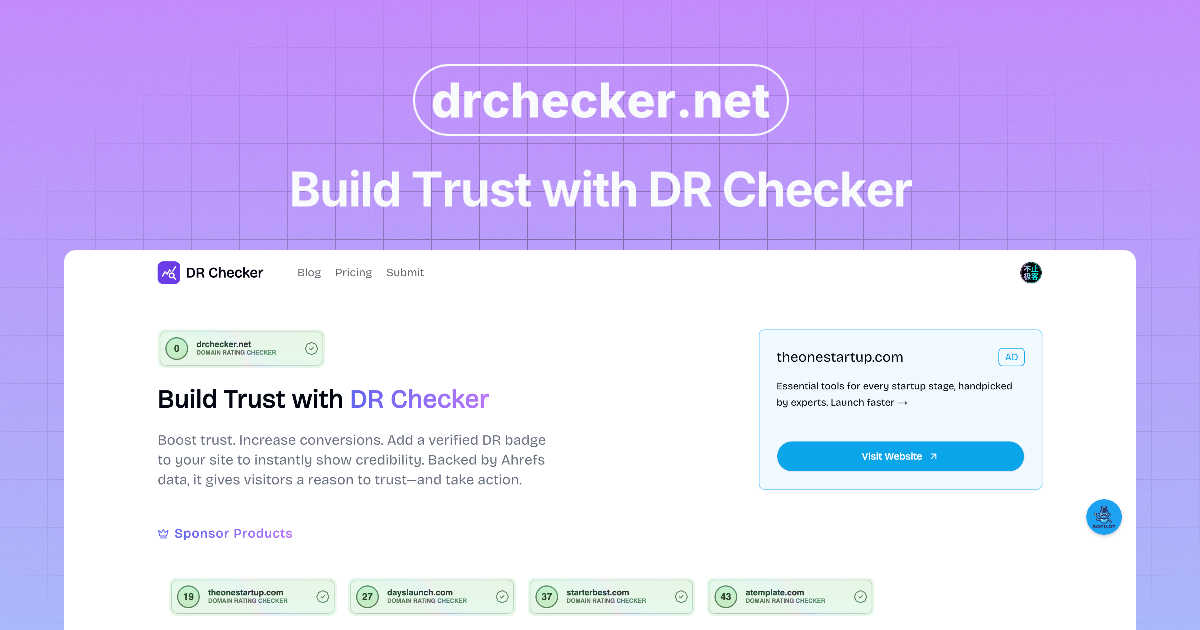
DR Checker continuously verifies your deployments to build and maintain trust.

KeywordKick
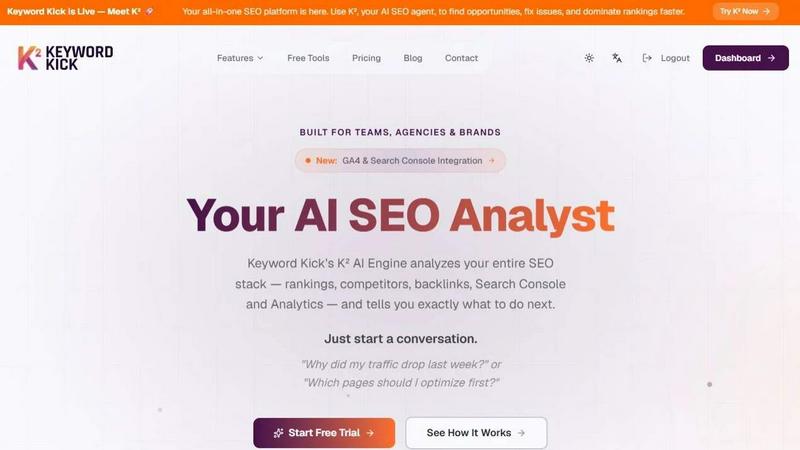
KeywordKick's AI agent analyzes your SEO data and tells you exactly what to do next for continuous growth.
Last updated: April 13, 2026
Visual Comparison
DR Checker
KeywordKick
Feature Comparison
DR Checker
Advanced Website Crawling
DR Checker employs sophisticated crawling technology that meticulously navigates your website's entire structure, mirroring how search engines and users explore your pages. This deep-scan capability ensures no link is left unchecked, from surface-level navigation menus to buried footer links and dynamic content. The crawler is designed to be thorough yet respectful of server resources, providing a complete inventory of all internal and external connections as the essential first step in the continuous improvement cycle.
Comprehensive Broken Link Detection
At the heart of DR Checker is its powerful engine for identifying broken links. It systematically tests each link on your site, flagging those that return client and server errors like the common 404 "Not Found," 403 "Forbidden," or 500 "Internal Server Error." By providing a detailed list of these dead ends—including the source page and the broken URL—it turns a potentially frustrating hunt into a simple, actionable task list, allowing for iterative cleanup that enhances site reliability.
Security & Malicious Link Screening
Beyond simple breakage, DR Checker adds a crucial layer of security vigilance by screening external links for potential threats. It identifies connections to expired domains, known malicious sites, or questionable web resources that could harm your visitors or your site's reputation. This proactive screening is a key component in the iterative security process, helping you maintain a trustworthy ecosystem and protect users from phishing scams or malware, thereby reinforcing your site's integrity with every scan.
Intuitive Reporting Dashboard
Insights are delivered through a clear, user-friendly dashboard designed for both technical and non-technical users. The dashboard presents scan results in organized, digestible reports that highlight issues by category and severity. This interface simplifies the path from identification to resolution, enabling you to prioritize fixes, track your improvement over time, and document the ongoing cycle of website optimization. The clarity of reporting turns raw data into a strategic maintenance plan.
KeywordKick
K² AI SEO Agent
The core of KeywordKick is K², your AI SEO analyst. You interact with it through natural conversation, asking specific questions about your SEO performance. K² then analyzes connected data from all integrated sources—rankings, competitors, backlinks, Search Console, and Analytics—to provide clear, prioritized answers and actionable recommendations, turning data analysis into a simple dialogue.
Unified SEO Data Workspace
KeywordKick consolidates all critical SEO data into a single dashboard. You can connect GA4, Google Search Console, keyword ranking trackers, backlink tools, and technical audit signals. This eliminates the need to switch between multiple platforms, providing a holistic, real-time view of your site's health, traffic, keyword positions, and backlink profile in one centralized environment.
Intelligent Rank Tracking & SERP Analysis
Go beyond basic position tracking. This feature monitors daily keyword movements with historical trends and competitive context. It also tracks visibility across key SERP features like Featured Snippets and "People Also Ask" boxes. You can compare your keyword positions directly against competitors to identify ranking gaps and opportunities for improved visibility.
Comprehensive Site Audit & Health Scoring
KeywordKick continuously audits your website for technical SEO issues, providing a clear Site Health Score out of 100. The audit categorizes issues as passed, warnings, or critical, giving your team a prioritized list of technical fixes. This proactive monitoring ensures your site maintains a strong foundation for search engine crawling and indexing, supporting continuous improvement.
Use Cases
DR Checker
Routine Website Maintenance Audits
Website administrators and owners can integrate DR Checker into their monthly or quarterly maintenance routines. Regularly scheduled scans create a consistent feedback loop, catching new broken links that appear from content updates, third-party service changes, or expired external resources. This proactive, iterative practice prevents the gradual accumulation of errors, ensuring the site remains professionally maintained and functionally sound for visitors at all times.
Pre and Post-Migration Site Verification
Before and after migrating a website to a new host, CMS, or domain, developers face a high risk of broken links. Using DR Checker to perform a comprehensive scan before launch identifies issues in the new environment. A follow-up scan post-migration verifies the success of the transfer and catches any missed connections. This two-step, cyclical process is critical for ensuring a seamless transition with no degradation in user experience or SEO value.
SEO Performance Optimization
Digital marketers and SEO specialists use DR Checker to eliminate "crawl budget" waste and negative ranking factors. Search engines penalize sites with excessive broken links, viewing them as poorly maintained. By continuously identifying and fixing these issues, marketers improve how efficiently search engines crawl and index the site, directly supporting better rankings. This ongoing optimization cycle is a fundamental technical SEO task that preserves and enhances organic visibility.
Enhancing User Experience and Trust
For content-heavy sites like blogs, news portals, or educational resources, a single broken link can frustrate a reader and erode trust. DR Checker helps content managers and editors systematically verify that all referenced resources, citations, and recommended links are active and secure. This commitment to a flawless user journey, maintained through regular iterative checks, builds long-term credibility and encourages visitors to return, knowing they will have a reliable experience.
KeywordKick
Diagnosing Organic Traffic Drops
When a sudden traffic decline occurs, instead of manually cross-referencing Analytics and Search Console, a marketer can ask K², "Why did my traffic drop last week?" K² analyzes ranking changes, competitor movements, and technical issues to pinpoint the exact cause—such as lost featured snippets or new competitors—and recommends specific recovery actions.
Prioritizing Page Optimization Efforts
SEO teams often struggle to decide which pages to optimize first for maximum impact. By asking K², "Which pages should I optimize first?" the AI agent evaluates ranking potential, current traffic, and competitiveness to provide a prioritized list of pages and the specific on-page elements (like H1 tags) to focus on, ensuring efficient use of resources.
Conducting Competitive Gap Analysis
Agencies and brands can use KeywordKick to systematically track competitors. The platform allows for comparing keyword portfolios, identifying keywords where competitors rank but you don't (content gaps), and analyzing their backlink profiles. K² can synthesize this data to recommend strategic keywords to target and link-building opportunities.
Streamlining Monthly SEO Reporting & Strategy
For teams and agencies, KeywordKick unifies all performance data into one dashboard with clear metrics like keyword growth, health score, and backlink gains. This simplifies the creation of performance reports and strategic planning. K² can then be queried for the next cycle's priorities, creating a continuous loop of analysis, action, and improvement.
Overview
About DR Checker
DR Checker is a dedicated web-based service engineered to fortify your website's health through a continuous cycle of monitoring, analysis, and optimization. It is built for the modern web steward—be it a website owner, developer, or digital marketer—who understands that a site's integrity is not a one-time fix but an ongoing commitment. The core mission of DR Checker is to proactively scan your entire website to identify and catalog problematic links, including broken connections (404 errors), invalid URLs, expired domains, and links that point to potentially malicious or untrustworthy external sites. By rooting out these digital vulnerabilities, DR Checker directly safeguards user experience, protects your site's SEO rankings from negative penalties, and upholds your brand's credibility. The platform delivers actionable insights through comprehensive reports, empowering you to make informed corrections. This process of regular scanning and remediation creates a virtuous cycle of continuous improvement, ensuring your online presence remains clean, fast, and secure. While the service is currently temporarily paused, its foundational promise is to simplify complex website maintenance, making advanced technical auditing accessible to users of all skill levels for sustained digital excellence.
About KeywordKick
KeywordKick is a revolutionary AI-powered SEO platform designed to transform complex data into clear, actionable execution. It replaces the traditional, overwhelming model of dashboards and siloed reports with K², your conversational AI SEO agent. K² integrates your entire SEO stack—including Google Search Console, Google Analytics (GA4), keyword rankings, competitor data, and backlink profiles—into one unified workspace. Instead of forcing you to interpret disparate data points, you simply ask questions like "Why did my traffic drop?" or "What should I optimize first?" K² analyzes everything and delivers prioritized, step-by-step recommendations to improve rankings and grow organic traffic. Built for founders, marketers, and SEO teams who value decisive action over mere data aggregation, KeywordKick embodies a cyclical and iterative approach to SEO, enabling continuous improvement through AI-guided insights and clear next steps.
Frequently Asked Questions
DR Checker FAQ
How does DR Checker scan my website?
DR Checker uses an advanced web crawler that starts from a URL you provide (typically your homepage) and follows every link it finds across your entire site, much like a search engine bot. It sends HTTP requests to each linked address to check its status code. It compiles all internal links and outbound external links into a structured map, then analyzes each one for validity, functionality, and security indicators to generate a comprehensive report.
What types of links does DR Checker identify as problematic?
DR Checker categorizes several types of problematic links. The primary category is broken links, which return error codes like 404 (Not Found) or 500 (Server Error). It also flags invalid URL formats, links that redirect through multiple hops (redirect chains), links to domains that have expired or are parked, and connections to URLs known to be associated with malware, phishing, or other security threats based on reputation databases.
Can non-technical website owners use DR Checker effectively?
Absolutely. DR Checker is designed with an intuitive interface that presents findings in clear, non-technical language within its dashboard. The reports clearly show which page contains a bad link and what the broken link is, allowing users to easily locate and fix the issue in their website's content management system (e.g., WordPress, Wix, Squarespace). The platform facilitates a straightforward cycle of scan, review, and repair accessible to all skill levels.
Why is checking for malicious links important for my website?
Checking for malicious links is a critical security and reputation measure. If your site links to a compromised or malicious external site, you could inadvertently expose your visitors to scams, malware, or phishing attacks. This damages user trust and can lead to your site being flagged by browsers or search engines as unsafe. Proactively identifying and removing such links through regular DR Checker scans is an iterative best practice for maintaining a secure, trustworthy online presence.
KeywordKick FAQ
What data sources does KeywordKick integrate with?
KeywordKick integrates with a comprehensive set of SEO data sources to power its AI analysis. This includes Google Search Console for query and click data, Google Analytics 4 (GA4) for traffic and user behavior, third-party rank tracking services for keyword positions, backlink analysis tools, and its own proprietary site audit crawler for technical SEO signals.
How is the K² AI Agent different from a standard SEO dashboard?
Standard dashboards present raw data, leaving you to interpret trends and decide on actions. The K² AI Agent is conversational and prescriptive. You ask it questions in plain English, and it analyzes the interconnected data from all your sources to tell you not just what happened, but why it happened and what you should do next in a clear, prioritized list.
Who is KeywordKick designed for?
KeywordKick is built for anyone who needs to execute SEO strategies efficiently. This includes founders managing their own growth, in-house marketers and SEO specialists, as well as SEO teams and digital agencies that manage multiple clients. It is ideal for those who want to move from data analysis to confident, AI-guided action.
How does the Site Health Score work?
The Site Health Score is a numerical grade (out of 100) generated by KeywordKick's site audit tool. It continuously crawls your website to identify technical SEO issues, categorizing them as critical, warnings, or passed checks. The score provides an at-a-glance understanding of your site's technical foundation, and the detailed audit results offer a prioritized fix list for continuous improvement.