
AnividAI vs Melograph
Side-by-side comparison to help you choose the right product.

AnividAI
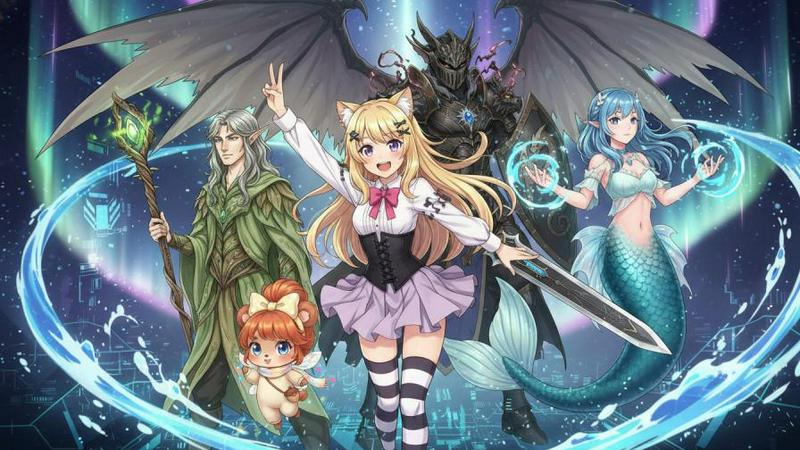
AnividAI is your all-in-one AI studio for effortlessly creating stunning anime images, videos, and original characters.
Last updated: February 27, 2026

Melograph
Melograph turns your music tracks into eye-catching videos in minutes with customizable templates and easy exports.
Last updated: February 28, 2026
Visual Comparison
AnividAI
Melograph

Feature Comparison
AnividAI
All-in-One Creation Suite
AnividAI serves as a comprehensive creation suite tailored for anime, combining various functionalities like image generation, video creation, and storytelling tools into one platform. This integration allows users to navigate effortlessly between different tasks, enhancing productivity and creativity.
Character Studio
The Character Studio feature allows creators to design characters with reusable anchors that maintain consistency across different scenes and media. This ensures that character appearances and traits are preserved, enhancing narrative coherence and enabling a richer storytelling experience.
Prompt-First Creation Flow
AnividAI employs a prompt-first creation flow complemented by visual controls, which allows users to generate content quickly and accurately. By focusing on prompts, creators can easily guide the AI to produce specific styles and elements, resulting in tailored outputs that meet their artistic vision.
Story Lab
The Story Lab is a powerful tool for script editing, scene breakdown, and character-aware narrative generation. It helps creators refine their scripts and ensures that character interactions are consistent, enriching the overall storytelling process and making it easier to develop engaging narratives.
Melograph
Intuitive Template Selection
Melograph offers a wide array of beautifully designed templates tailored to various music genres and vibes. Users can effortlessly select a template that resonates with their track, ensuring that their visuals align perfectly with their artistic vision.
Audio-Reactive Waveforms
With Melograph, users can upload their audio files and witness the waveform react in real time. This dynamic feature creates engaging visuals that respond to the music, captivating viewers and enhancing the overall listening experience.
Quick Customization Options
Customizing the visuals is a breeze with Melograph. Users can easily add their artist name, song title, and even upload logos or album covers on selected templates, making it simple to personalize the video and maintain brand consistency.
High-Quality Exports
Melograph ensures that every video export meets high-quality standards. Users can generate 1080p MP4 videos optimized for various platforms, ensuring clean text, smooth motion, and a professional presentation that is ready to post without any additional editing.
Use Cases
AnividAI
Creating Original Characters
AnividAI is perfect for creators looking to develop original characters. With its intuitive tools, users can design and customize their OCs, ensuring they fit seamlessly into their stories and visual styles, whether for personal projects or professional endeavors.
Manga Production
For manga artists, AnividAI provides specialized tools for generating panels, typesetting, and transforming scripts into visually appealing comic layouts. This streamlining of the manga production process helps creators focus more on storytelling and artistic expression.
Anime Video Generation
Creators can produce short anime videos using AnividAI's video generation capabilities. This feature allows for the integration of character animations and storytelling elements, enabling users to bring their narratives to life in engaging visual formats without needing extensive animation skills.
Community Engagement
AnividAI fosters a vibrant community where users can share their creations and collaborate on projects. This engagement not only inspires creativity but also allows users to receive feedback and learn from each other, enhancing their skills and expanding their artistic horizons.
Melograph
Indie Artist Promotion
Indie artists can leverage Melograph to create stunning visual content for their music releases. With quick exports and professional-looking visuals, they can captivate their audience on social media platforms, enhancing their promotional efforts.
Producer Showcases
Music producers can utilize Melograph to showcase their beats and tracks effectively. By pairing their audio with eye-catching visuals, they can attract potential collaborators and clients, making their work stand out in a competitive industry.
Label Marketing
Record labels can use Melograph to create cohesive visual branding for their artists. By consistently producing high-quality music videos, labels can enhance their marketing strategies and strengthen their artists' presence across digital platforms.
DJ Set Visuals
DJs can enhance their live performances by using Melograph to create dynamic visuals that accompany their sets. This not only elevates the audience experience but also provides a unique way to promote their music online.
Overview
About AnividAI
AnividAI is an innovative all-in-one creation studio designed specifically for anime, comic, game, and stylized fantasy creators. It offers a unified workflow that eliminates the need for fragmented tools, providing a seamless experience that combines image and video generation, character creation, world settings, and storytelling utilities. Whether you are crafting an original character (OC), producing manga panels, or generating short anime videos, AnividAI streamlines the creative process, ensuring it's not only fast but also coherent and production-focused. With AnividAI, creators can harness the power of artificial intelligence to transform their imaginative ideas into professional-quality anime content, making it an essential tool for both seasoned artists and aspiring creators alike.
About Melograph
Melograph is a cutting-edge web-based music visualizer designed for musicians and creators seeking to produce stunning visuals with minimal effort. This intuitive platform eliminates the complexities often associated with traditional video editing, allowing users to craft captivating audio-reactive videos in mere minutes. With a diverse selection of premium templates that cater to a range of styles—such as chill, cinematic, retro, and futuristic—Melograph empowers users to enhance their musical releases visually. Simply upload your audio track, enter your artist name and song title, and you are set to export a high-quality video ready for sharing. Ideal for indie artists, producers, labels, and DJs, Melograph streamlines the visual creation process, enabling musicians to focus on their craft while generating professional-looking content for social media and other platforms efficiently. Its core value proposition lies in the ability to produce consistent, eye-catching visuals that elevate any music project without consuming hours of editing time.
Frequently Asked Questions
AnividAI FAQ
What can I create with AnividAI?
With AnividAI, users can create original characters, generate anime images, produce short videos, and develop engaging storylines. The platform is versatile, catering to various creative needs within the anime and fantasy genres.
How does the AI Anime Generator work?
The AI Anime Generator utilizes advanced machine learning algorithms to create unique anime-style images based on user prompts. By inputting specific descriptions, users can guide the AI to generate visuals that align with their creative vision.
Can I keep character consistency across anime images and videos?
Yes, AnividAI's Character Studio feature allows for the creation of reusable character anchors, ensuring consistency in character design across different images and videos. This enhances the coherence of your storytelling and visual representation.
Can I share my work with the community?
Absolutely! AnividAI encourages users to share their creations within the community gallery. This feature not only showcases individual artworks but also fosters collaboration and feedback among creators, enriching the overall experience.
Melograph FAQ
Do I need editing experience to use Melograph?
No, Melograph is designed for users of all skill levels. If you can select a template and enter text, you can create beautiful visuals easily.
Will this work for TikTok, Reels, or Shorts?
Absolutely! Melograph generates exports that are platform-friendly, making it perfect for sharing on TikTok, Instagram Reels, and YouTube Shorts.
Can I use it for multiple songs?
Yes, users can create visuals for multiple songs. Depending on your chosen pricing plan, you can generate several exports for different tracks.
Is Melograph web-based?
Yes, Melograph is entirely web-based, allowing you to create music visuals from any device with internet access, without the need for downloads or installations.
Alternatives
AnividAI Alternatives
AnividAI is an innovative all-in-one AI anime studio designed for creators in the anime, comic, game, and stylized fantasy sectors. It enables users to generate consistent anime-style images, videos, stories, and character-driven content within a unified workflow. This comprehensive toolset streamlines the creative process, allowing for efficient production from concept to final output. Users often seek alternatives to AnividAI for various reasons, including pricing considerations, specific feature requirements, or platform compatibility. When looking for an alternative, it’s essential to assess the tool’s capabilities in character creation, story development, and visual consistency, as well as the overall ease of use and integration into existing workflows.
Melograph Alternatives
Melograph is an innovative web-based music visualizer maker designed specifically for musicians and creators who wish to transform their audio tracks into captivating videos. It falls under the video creation category, allowing users to generate stunning visuals without the complexities typically associated with traditional video editing software. Users often seek alternatives to Melograph for various reasons, such as pricing concerns, feature requirements, or the need for specific platform compatibility. When exploring alternatives, it's essential to consider factors like ease of use, customization options, output quality, and the range of templates available to ensure that the chosen tool aligns well with creative goals and workflows.