
42feeds vs Alertr: Inventory Management
Side-by-side comparison to help you choose the right product.

42feeds
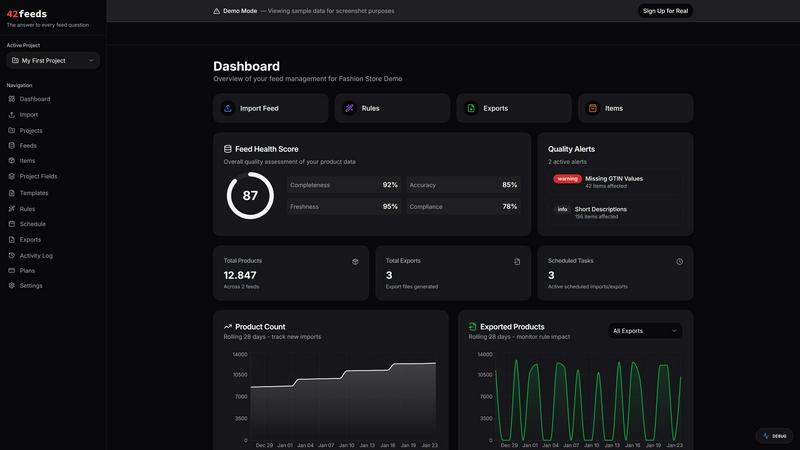
42feeds simplifies product feed management, ensuring your data is clean, validated, and effortlessly exported to all.
Last updated: February 27, 2026

Alertr: Inventory Management
Know what's low. Reorder at the right time.
Visual Comparison
42feeds
Alertr: Inventory Management
Overview
About 42feeds
42feeds is a cutting-edge product feed management tool designed specifically for performance marketers, agencies, and e-commerce teams that rely on advertising platforms such as Google Shopping, Meta Catalogs, and Microsoft Ads. In the dynamic landscape of online advertising, product feeds can easily break due to minor changes like CMS updates, plugin installations, theme modifications, or inconsistent data mappings. These disruptions can lead to disapproved products, policy violations, and challenging campaign downtimes that are often difficult to diagnose.
42feeds revolutionizes feed management by making it transparent and predictable. Users can effortlessly import product data, apply rule-based transformations, validate feeds against stringent platform requirements, and export ready-to-use feeds without the complexities of black-box automation. Each transformation and validation step is visible, empowering users to understand product failures and resolve issues swiftly. This approach not only minimizes feed errors but also ensures compliance, allowing campaigns to run smoothly even as business needs and platform guidelines evolve.
About Alertr: Inventory Management
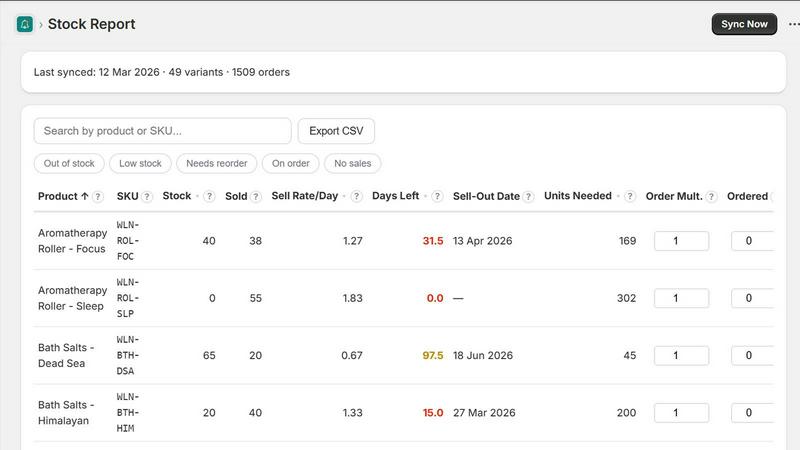
The simplest Shopify inventory app on the market. 1-click setup. Tracks what's about to run out, tells you when to reorder.
Manual stock checks miss things. By the time you notice, you've already lost sales. Spreadsheets go stale. Shopify's built-in tools don't alert you proactively. The apps that do cost $40-$250/mo.
Syncs your inventory daily, calculates sell rates, and alerts you when stock drops below your thresholds. Configue your own assumptions and export your data to CSV.