

Alternatives to QuickSigner
QuickSigner lets you eSign and collect signatures instantly with a secure, legally binding platform that continuously improves.
Explore 20 alternatives to QuickSigner. Compare features, pricing, and find the best fit for your needs.

Safe Outreach
AI-powered platform that evaluates the safety of LinkedIn automation tools and helps reduce the risk of account restrictions.

How Long How Many Tool
Timers and hourly checks to figure how out long until a certain time or how many days away.


ButterShare
Send files straight between two browsers with a 6-digit key. No signup, no install, nothing stored on a server.

Emailyy
Free email tools for signatures, subject lines, HTML previews, word counts, and email headers. Browser-based, simple to use, and no signup required.
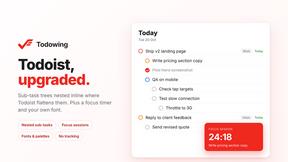
Todowing
Chrome extension that shows Todoist sub-tasks nested inline in Today, Upcoming, and Filter views. Free tier, $19.99 one-time unlock.
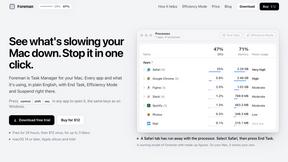
Foreman
See every app and what it's using in plain English, and end or slow down the one that's hogging your Mac.

Uniclip
Clip pages, take full-page screenshots and batch-capture list data to Notion, Feishu, Obsidian, Markdown, CSV or JSON.

TroveKey
Search tabs, Chrome bookmarks and history, run browser commands, and save webpages and social posts locally—no account.
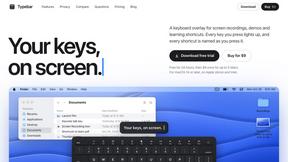
Typebar
Every key you press lights up on an on-screen keyboard, and each shortcut is named as you press it.

Notchpals
Little characters peek out of your Mac's notch to remind you to drink water, eat, sit up and get to bed. Quiet during calls. $4.99 once.

LightScreen
Free fullscreen light screen tool online. Turn any display into a flashlight, ambient light, or solid-color screen. No download or sign-up.
Everywhere
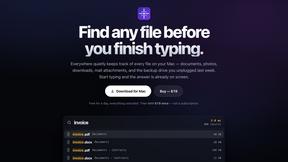
Fast file search for the Mac. Results as you type, files inside Mail and Photos, works with Wi-Fi off. $19 once.

Basalt
Eighteen PDF tools in one native Mac window: merge, split, compress, OCR, Bates numbering, forms, signing and redaction. Offline. $29 once.

Voice Keyboard Pro
Hold a key, say what you mean, let go. Clean, punctuated text lands at the cursor in any app on your Mac or iPhone.

Mainspring
Mainspring turns the settings macOS hides into 90+ one-click, fully reversible power-ups for Finder, Dock, screenshots and more. $29 once.
Crumb
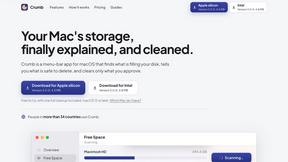
A Mac menu bar app for a full disk. See what is using your space, read whether it comes back on its own, and remove only what you tick.

About QuickSigner Alternatives
QuickSigner is an online eSigning platform that falls within the Productivity & Management category, designed to streamline the entire document lifecycle from preparation to finalization. It accelerates the signing process, reducing what was once days of back-and-forth communication into a matter of minutes, while offering a simple, powerful, and secure experience through an API. Users commonly look for alternatives due to specific pricing constraints, a need for different feature sets like advanced workflow automation or integrations, or platform compatibility issues that may not align with their existing tech stack. The search for an alternative often stems from a desire to optimize costs or find a tool that scales more precisely with unique team sizes and document volumes. When evaluating an alternative to QuickSigner, you should prioritize platforms that offer a cyclical improvement cycle for your document management—meaning they should provide continuous updates to security protocols, user interface enhancements, and expanded integration capabilities. Look for a solution that not only matches the core eSigning functionality but also demonstrates an iterative approach to refining its compliance standards, such as maintaining certifications like ISO 27001 or supporting Adobe Approved Trust List signatures. The ideal alternative will evolve with your business needs, offering flexible pricing models and robust API access that allow you to iterate on your own workflows without sacrificing the speed and security that define a top-tier productivity tool.
FAQs about QuickSigner Alternatives
What is QuickSigner?
QuickSigner is an online eSigning platform categorized under Productivity & Management that simplifies the process of signing, sending, and finalizing documents. It turns what used to be days of back-and-forth communication into just minutes, making it a powerful tool for accelerating document workflows. The platform is designed to be simple yet robust, with a strong emphasis on security and API integration for seamless automation.
Who is QuickSigner for?
QuickSigner is designed for businesses and professionals who need to streamline their document signing processes, from small teams to large enterprises. It is ideal for anyone who frequently sends contracts, agreements, or forms and wants to reduce turnaround times while maintaining high security standards. The platform caters to users who require a simple interface for occasional signing as well as developers needing powerful API access for automated workflows.
Is QuickSigner free?
Based on the product description, QuickSigner is a commercial solution that offers powerful features like Adobe Approved Trust List electronic signatures and ISO 27001 certification, which typically require a paid subscription. While specific pricing details are not provided in the content, the platform is positioned as a professional tool with a focus on security and speed, suggesting it operates on a tiered pricing model. Users should check the official website for free trial options or pricing plans that fit their document volume needs.
What are the main features of QuickSigner?
QuickSigner’s main features include the ability to accelerate the entire signing process, reducing document turnaround from days to minutes. It comes with Adobe Approved Trust List electronic signatures, ensuring legal compliance and trustworthiness across jurisdictions. Additionally, the platform is ISO 27001 certified, demonstrating a commitment to information security management, and offers a powerful API for integrating eSigning capabilities directly into existing applications and workflows.