

Alternatives to Workatool
Workatool is the operating system for service businesses, turning leads into paid jobs with AI-powered quotes and automated workflows that improve.
Explore 20 alternatives to Workatool. Compare features, pricing, and find the best fit for your needs.
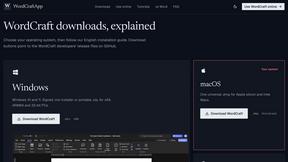
WordCraft
Free, open-source word processor for private browser and offline writing on every major desktop platform.

Safe Outreach
AI-powered platform that evaluates the safety of LinkedIn automation tools and helps reduce the risk of account restrictions.

How Long How Many Tool
Timers and hourly checks to figure how out long until a certain time or how many days away.


ButterShare
Send files straight between two browsers with a 6-digit key. No signup, no install, nothing stored on a server.

Emailyy
Free email tools for signatures, subject lines, HTML previews, word counts, and email headers. Browser-based, simple to use, and no signup required.
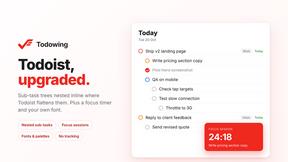
Todowing
Chrome extension that shows Todoist sub-tasks nested inline in Today, Upcoming, and Filter views. Free tier, $19.99 one-time unlock.
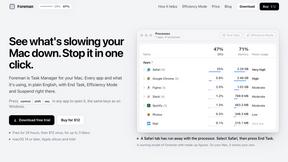
Foreman
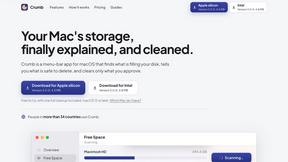
See every app and what it's using in plain English, and end or slow down the one that's hogging your Mac.

Uniclip
Clip pages, take full-page screenshots and batch-capture list data to Notion, Feishu, Obsidian, Markdown, CSV or JSON.

TroveKey
Search tabs, Chrome bookmarks and history, run browser commands, and save webpages and social posts locally—no account.
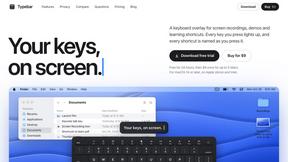
Typebar
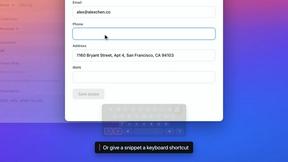
Every key you press lights up on an on-screen keyboard, and each shortcut is named as you press it.

Notchpals
Little characters peek out of your Mac's notch to remind you to drink water, eat, sit up and get to bed. Quiet during calls. $4.99 once.

LightScreen
Free fullscreen light screen tool online. Turn any display into a flashlight, ambient light, or solid-color screen. No download or sign-up.

Everywhere
Fast file search for the Mac. Results as you type, files inside Mail and Photos, works with Wi-Fi off. $19 once.

Basalt
Eighteen PDF tools in one native Mac window: merge, split, compress, OCR, Bates numbering, forms, signing and redaction. Offline. $29 once.

Voice Keyboard Pro
Hold a key, say what you mean, let go. Clean, punctuated text lands at the cursor in any app on your Mac or iPhone.

Mainspring
Mainspring turns the settings macOS hides into 90+ one-click, fully reversible power-ups for Finder, Dock, screenshots and more. $29 once.
About Workatool Alternatives
Workatool is an all-in-one operating system designed for service businesses, falling into the productivity and management category by centralizing CRM, job scheduling, invoicing, and staff management into a single dashboard. Users often begin searching for alternatives when they find the platform’s feature set exceeds their current needs, leading to unnecessary complexity, or when pricing structures don’t align with their budget as their business scales. Others may seek alternatives if they require more specialized tools for a niche industry or prefer a simpler interface that focuses on just a few core functions without the AI and automation extras. When evaluating alternatives, look for a solution that matches your specific workflow volume, offers transparent pricing without hidden fees for essential features like scheduling or client portals, and provides strong integration capabilities with your existing accounting or communication tools to ensure a seamless transition. The key to choosing the right alternative is to prioritize continuous improvement in your operations rather than just cost savings. Start by mapping your current pain points, such as time spent on manual follow-ups or payroll errors, then test how each potential platform addresses those specific issues through trial periods or demos. The best alternative will not only replicate Workatool’s core functionality but also offer room to grow, with scalable features like automated workflows or staff portals that can adapt as your team expands. Remember that the goal is iterative refinement of your daily processes, so select a tool that allows you to start small, optimize over time, and avoid being locked into a rigid system that stifles your business’s evolving needs.
FAQs about Workatool Alternatives
What is Workatool?
Workatool is an all-in-one operating system designed specifically for service businesses, combining CRM, job management, staff scheduling, invoicing, payroll, and AI-powered tools into a single dashboard. It helps cleaning companies, trades, maintenance firms, recruitment agencies, and contractors manage daily operations without switching between multiple platforms. The system automates repetitive tasks like payment reminders, customer follow-ups, and recurring job scheduling to reduce administrative workload.
Who is Workatool for?
Workatool is built for service-based businesses, including cleaning companies, tradespeople, maintenance firms, recruitment agencies, and contractors. It serves teams that need to manage client leads, staff schedules, quotes, contracts, and payroll from one central platform. The tool is ideal for growing service businesses that want to streamline operations and improve customer experience without hiring additional administrative staff.
Is Workatool free?
Workatool is not described as a free platform in the provided content, and typical all-in-one operating systems for service businesses operate on subscription-based pricing models. The platform likely offers tiered plans based on features needed, such as number of users, clients, or automation capabilities. Businesses should contact Workatool directly or visit their website for the most current pricing and any free trial availability.
What are the main features of Workatool?
Workatool’s main features include job and project management, client and lead CRM, staff scheduling, quotes, contracts, invoicing, payroll and timesheets, workflow and email automations, and AI business tools. It also provides client and staff portals, a website builder, and recruitment and HR tools. These features are designed to help service businesses automate repetitive tasks, improve customer communication, and scale more efficiently from a single dashboard.