

Alternatives to FlashSlides
FlashSlides continuously refines your ideas into stunning AI presentations in minutes.
Explore 20 alternatives to FlashSlides. Compare features, pricing, and find the best fit for your needs.

Safe Outreach
AI-powered platform that evaluates the safety of LinkedIn automation tools and helps reduce the risk of account restrictions.

How Long How Many Tool
Timers and hourly checks to figure how out long until a certain time or how many days away.

PavoAI
All-in-one AI video creation platform for text-to-video, image-to-video, editing, avatars, music, subtitles, and upscaling.


ButterShare
Send files straight between two browsers with a 6-digit key. No signup, no install, nothing stored on a server.
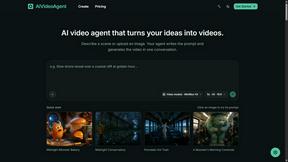
AIVideoAgent
Turn text ideas or reference images into videos through conversation, with agent-assisted prompts and a choice of video models.

Emailyy
Free email tools for signatures, subject lines, HTML previews, word counts, and email headers. Browser-based, simple to use, and no signup required.

Wordler
Wordler is a free word game website featuring daily puzzles, Wordle-like challenges, and unlimited opportunities to play.

Todowing
Chrome extension that shows Todoist sub-tasks nested inline in Today, Upcoming, and Filter views. Free tier, $19.99 one-time unlock.

Foreman
See every app and what it's using in plain English, and end or slow down the one that's hogging your Mac.

Dot & Dash
Learn Morse code on a machine you can press. Write and send messages, turn Morse into text and back, and key Morse in any app on your Mac.

Uniclip
Clip pages, take full-page screenshots and batch-capture list data to Notion, Feishu, Obsidian, Markdown, CSV or JSON.

TroveKey
Search tabs, Chrome bookmarks and history, run browser commands, and save webpages and social posts locally—no account.
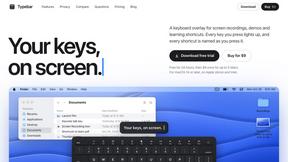
Typebar
Every key you press lights up on an on-screen keyboard, and each shortcut is named as you press it.

Bloom
An adaptive AI tutor that turns topics or your materials into courses, lessons, and answers tailored to how you learn.

Notchpals
Little characters peek out of your Mac's notch to remind you to drink water, eat, sit up and get to bed. Quiet during calls. $4.99 once.

LightScreen
Free fullscreen light screen tool online. Turn any display into a flashlight, ambient light, or solid-color screen. No download or sign-up.


About FlashSlides Alternatives
FlashSlides is an AI-powered presentation generator in the productivity and management category, designed to create professional slides in minutes. Users often explore alternatives to find a tool that better aligns with their specific needs, whether that's due to budget constraints, a desire for more advanced design control, integration with other software, or different platform availability. When evaluating other options, it's wise to consider the core factors that drive your search. Look for a tool that not only matches your functional requirements and price point but also fits seamlessly into your existing workflow. The goal is continuous improvement in your process, finding a solution that iteratively enhances how you communicate ideas without adding complexity. --- FAQ_SEPARATOR--- [
{"question": "What is FlashSlides?", "answer": "FlashSlides is an innovative AI presentation generator that creates complete, professional presentations with text and images in just three simple steps."},
{"question": "Who is FlashSlides for?", "answer": "It is tailored for business professionals, students, educators, and startups who need to create polished presentations quickly and effectively."},
{"question": "What are the main features of FlashSlides?", "answer": "Key features include AI-powered content and image generation, a quick turnaround time of about 30 seconds, a user-friendly interface, and flexible sharing options."},
{"question": "Why choose FlashSlides?", "answer": "FlashSlides saves valuable time by automating slide creation, allowing users to focus on delivery and ensuring content is both impactful and visually appealing."}
]