

Alternatives to ytskim
ytskim transforms YouTube videos into text and summaries, then refines your workflow with smarter, faster insights every time.
Explore 20 alternatives to ytskim. Compare features, pricing, and find the best fit for your needs.
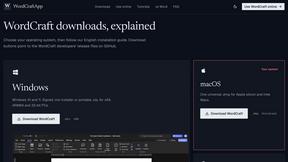
WordCraft
Free, open-source word processor for private browser and offline writing on every major desktop platform.

Safe Outreach
AI-powered platform that evaluates the safety of LinkedIn automation tools and helps reduce the risk of account restrictions.

How Long How Many Tool
Timers and hourly checks to figure how out long until a certain time or how many days away.

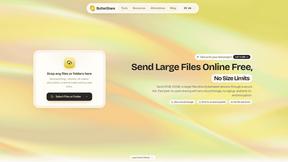
ButterShare
Send files straight between two browsers with a 6-digit key. No signup, no install, nothing stored on a server.

Emailyy
Free email tools for signatures, subject lines, HTML previews, word counts, and email headers. Browser-based, simple to use, and no signup required.
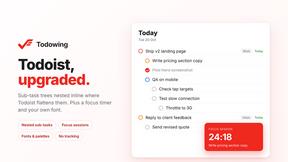
Todowing
Chrome extension that shows Todoist sub-tasks nested inline in Today, Upcoming, and Filter views. Free tier, $19.99 one-time unlock.
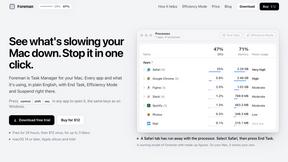
Foreman
See every app and what it's using in plain English, and end or slow down the one that's hogging your Mac.

Uniclip
Clip pages, take full-page screenshots and batch-capture list data to Notion, Feishu, Obsidian, Markdown, CSV or JSON.
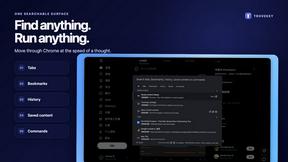
TroveKey
Search tabs, Chrome bookmarks and history, run browser commands, and save webpages and social posts locally—no account.
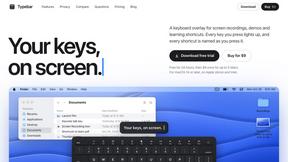
Typebar
Every key you press lights up on an on-screen keyboard, and each shortcut is named as you press it.
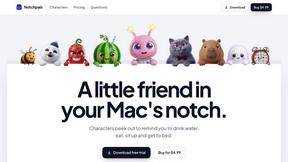
Notchpals
Little characters peek out of your Mac's notch to remind you to drink water, eat, sit up and get to bed. Quiet during calls. $4.99 once.

LightScreen
Free fullscreen light screen tool online. Turn any display into a flashlight, ambient light, or solid-color screen. No download or sign-up.

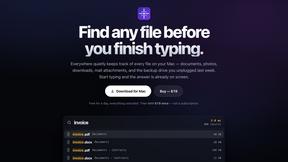
Everywhere
Fast file search for the Mac. Results as you type, files inside Mail and Photos, works with Wi-Fi off. $19 once.
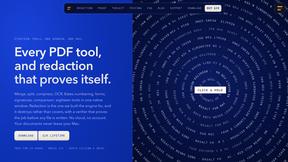
Basalt
Eighteen PDF tools in one native Mac window: merge, split, compress, OCR, Bates numbering, forms, signing and redaction. Offline. $29 once.
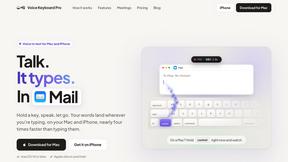
Voice Keyboard Pro
Hold a key, say what you mean, let go. Clean, punctuated text lands at the cursor in any app on your Mac or iPhone.
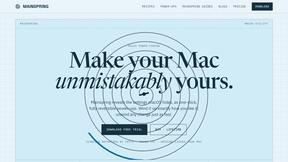
Mainspring
Mainspring turns the settings macOS hides into 90+ one-click, fully reversible power-ups for Finder, Dock, screenshots and more. $29 once.
About ytskim Alternatives
Every tool has a starting point, and ytskim is one of those refined solutions that carves out a clear niche within the Productivity & Management category. It allows users to take any YouTube video and, within seconds, extract both a word-for-word transcript and a structured, digestible summary. This is incredibly useful for researchers, students, content creators, and busy professionals who need to capture information from video content without watching the entire duration. However, the journey toward optimal efficiency is rarely linear. Users often begin to explore alternatives when they hit specific friction points: perhaps the pricing model doesn’t scale with their volume of usage, or they need deeper integration with their note-taking apps, or they require support for longer videos or different languages. Others might find the feature set too broad when they only need a simple transcript, or conversely, too narrow when they want AI-powered chapter generation or direct export to a specific platform like Notion or Obsidian. When you begin iterating on your workflow and searching for a better fit, the key is to focus on continuous improvement over a one-size-fits-all solution. Look for a tool that not only matches the core promise of accurate transcription and summarization but also aligns with your specific iterative cycle. Does it offer batch processing for multiple videos? Can it handle videos of varying lengths without a drop in accuracy? How does it handle speaker identification or technical jargon? Most importantly, consider the export and integration ecosystem. A great alternative will feel like a natural extension of your existing productivity stack, allowing you to refine and reuse the information without friction. The goal is to find a tool that grows with your needs, not one that forces you to adapt to its limitations.
FAQs about ytskim Alternatives
What is ytskim?
ytskim is a productivity tool designed to help users transcribe and summarize YouTube videos quickly and efficiently. It falls under the Productivity & Management category, allowing users to obtain accurate transcripts and structured summaries from any YouTube video in just seconds. This helps save time by extracting key information without needing to watch the entire video.
Who is ytskim for?
ytskim is ideal for a wide range of users including students, researchers, content creators, journalists, and busy professionals who consume video content for learning or work. Anyone who needs to quickly capture, review, or repurpose the spoken content from YouTube videos will find it valuable. It is particularly useful for those who want to improve their workflow by turning video-based information into text for notes, reports, or reference materials.
Is ytskim free?
Based on the provided product information, ytskim markets itself as a tool that delivers accurate transcripts and structured summaries in seconds. While the specific pricing model (free tier, freemium, or paid subscription) is not detailed in the given content, users typically encounter such tools with either a limited free usage tier or a subscription-based model for higher volumes. For exact pricing details, users should visit the official ytskim website or platform.
What are the main features of ytskim?
The primary features of ytskim are generating accurate transcripts and structured summaries from any YouTube video. It processes videos rapidly, delivering results in seconds rather than minutes. The tool focuses on providing both a raw, word-for-word transcript for detailed analysis and a structured summary that distills the key points, making it easier to digest information without watching the entire video. This dual output is designed to enhance productivity and information management.